
Send it. Schedule it. Automate it.
Our SMS platform is a full messaging workspace, not just an inbox. Dedicated numbers, personalised campaigns, two-way communication, and automations that route incoming messages to your systems without anyone touching a screen.
No-shows, unanswered calls, chasing overdue invoices, ringing around when something goes wrong. A message that actually gets read fixes more of these than another email ever will - and it takes about a day to switch on.
Everything you need to know in one place.
Summaries, quick links and actions - all on one system. Access can be set per user across fourteen areas of the platform, so you can give Marketing campaigns and templates while Support only sees the inbox and incoming messages.
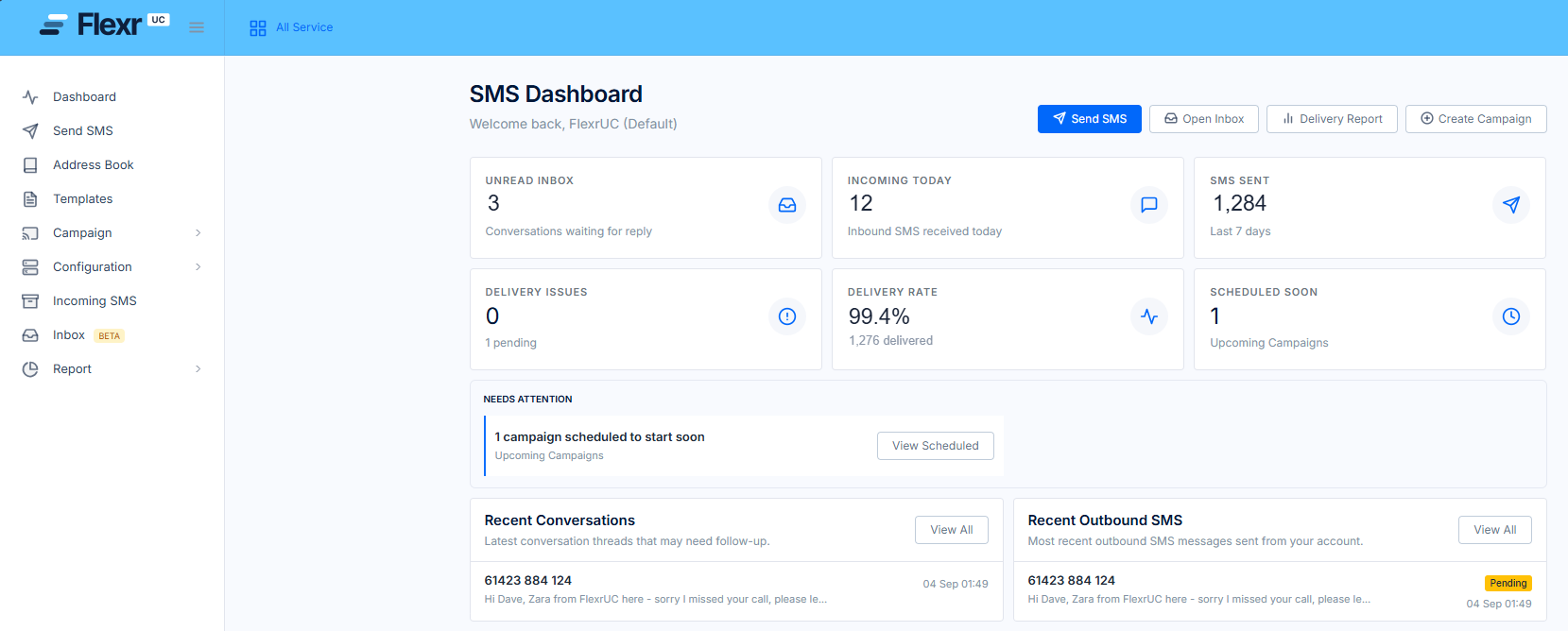
Once-off SMS
One message, one recipient, straight away - no campaign to build.
Campaigns & threaded SMS conversations
Bulk sends to a segmented list, and replies that thread into conversations you answer in the platform.
Reporting & automations
Delivery reports and campaign history you can export, plus triggers that act on incoming messages for you.
What you can do in the platform.
One-off sends and bulk campaigns, saved templates, a shared address book, replies you can answer in the platform, and automations that fire the moment a message arrives.
Once-off SMS
A single message to a single number, sent now. Useful far more often than you would expect.
Address Book
Import contacts in bulk, keep separate books for separate purposes, and store first name, last name, company and four custom fields against every contact.
Templates
Save the messages you send over and over, with placeholders already in them, then pick one when you build a campaign.
Campaigns
Choose an address book, a sender and a template, personalise with customer fields, and send to the whole list at once.
Scheduling
Set a start date and time for any campaign, and edit, re-time or cancel it any time before it sends.
Email to SMS
Send a text by sending an email. Ideal for systems that can already send mail but do not speak SMS.
Two-way inbox
Incoming messages thread against the number they arrived on, and you reply in the platform.
Automations
Triggers per number with optional content filters, and a stacked list of actions that run on every matching message.
Messaging placeholders
Insert first name, last name, company and four custom fields straight from your address book, so one campaign sends a personalised message to every contact on the list.
Every message reads like you wrote it for them.
Pick a list, pick a sender, drop in a saved template, then insert customer fields straight from your address book. First name, last name, company and four custom fields of your own - so one campaign sends a thousand different messages.
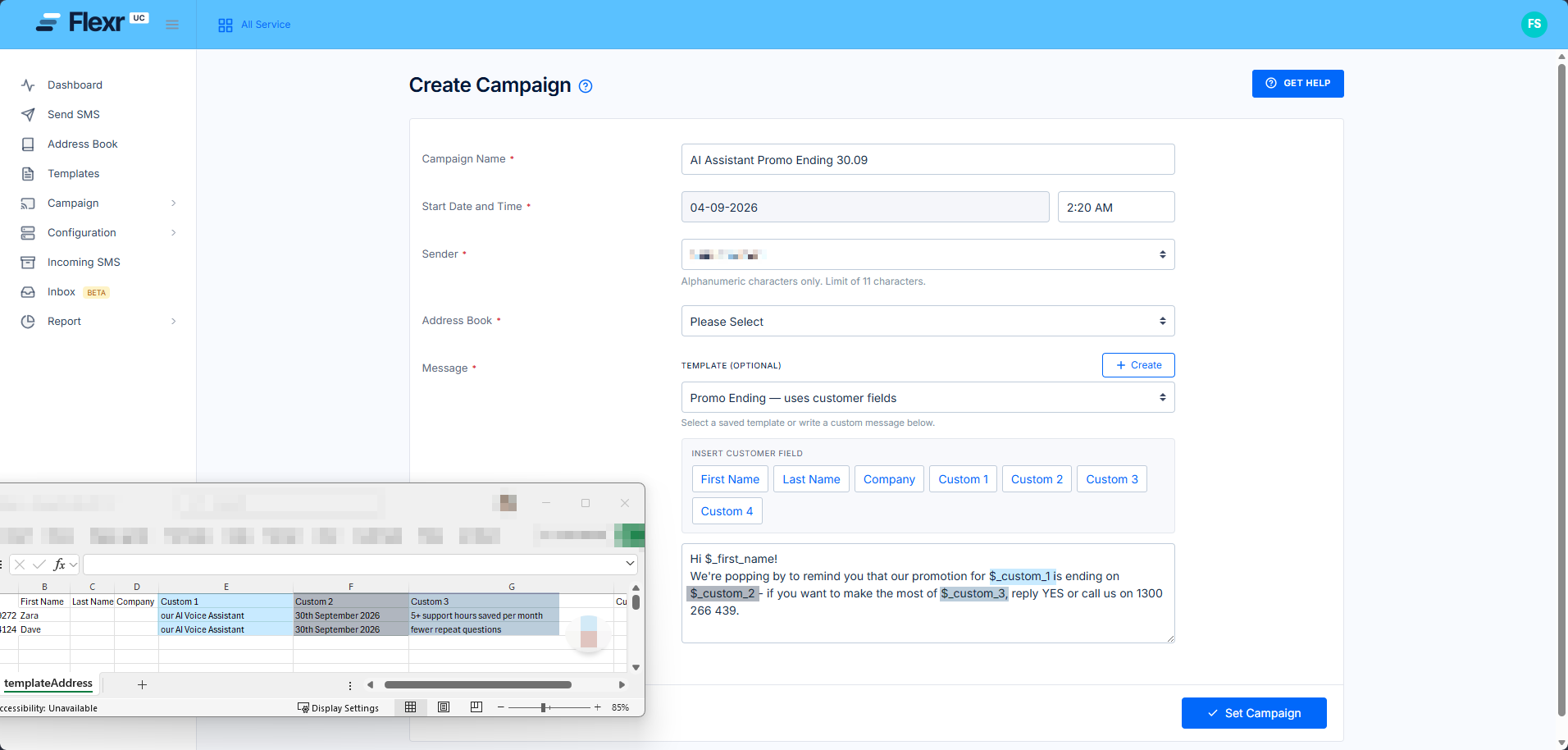
Insert customer fields
First name, last name, company and Custom 1 to 4 - click to drop them into the message body.
Choose your template
Start from a template you have already approved, or write a custom message for this send only.
Your sender
Send from one of your numbers so replies come back, or from an alphanumeric name up to 11 characters.
Pick the list
Point the campaign at an address book - keep marketing lists separate from transactional ones.
Set and forget
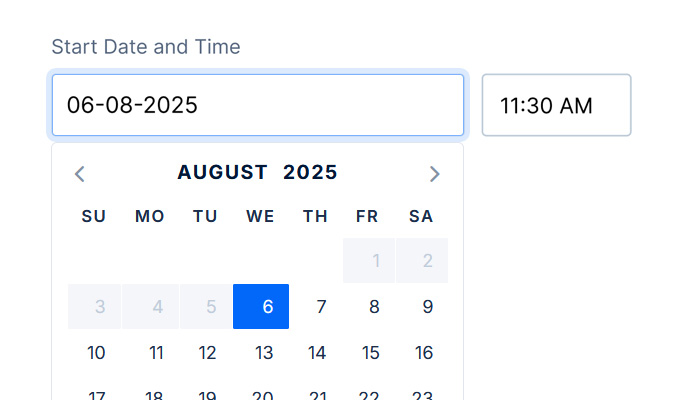
Give it a start date and time and it goes out on schedule.
Schedule a campaign for whenever suits, and change it right up until it sends.
Every campaign takes a start date and time, so reminders land when people will act on them rather than when someone is free to press send. Scheduled campaigns stay editable - change the copy, swap the list, move the time or cancel it outright, right up until it goes.
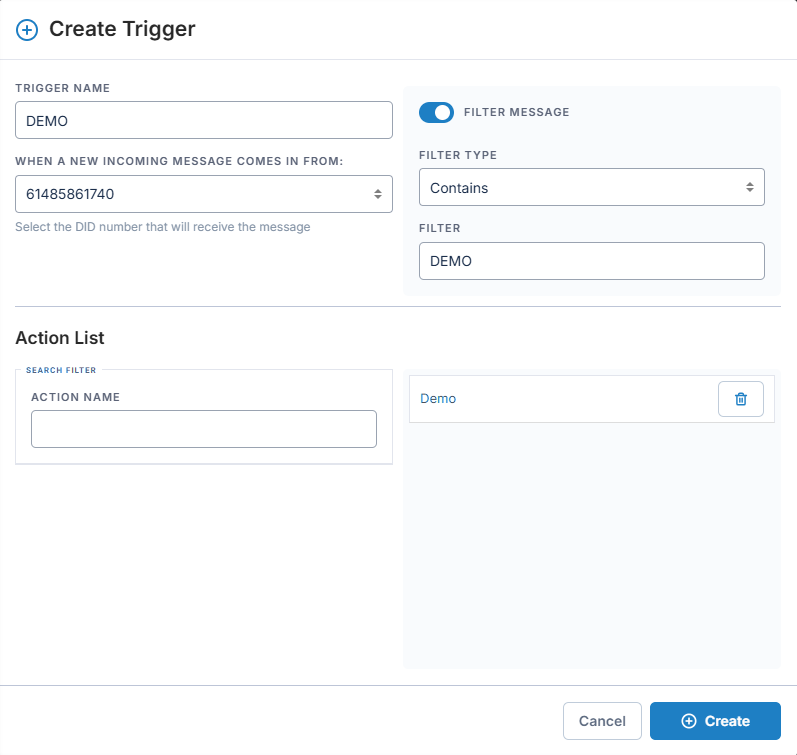
An incoming message can do the work for you.
Build a trigger on any of your numbers, filter it on what the message contains, then attach as many actions as you need. One inbound text can email the right team, add the sender to an address book, fire a webhook into your CRM and send an instant acknowledgement back - all before anyone has read it.
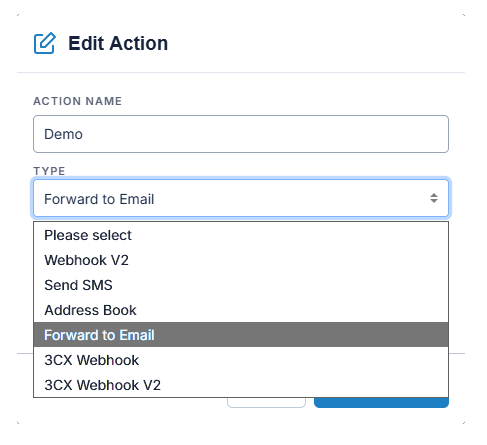
Forward to Email
Send the inbound message to a mailbox or distribution list.
Send SMS
Fire an automatic acknowledgement or a follow-up message back.
Address Book
Add the sender to a nominated address book - opt-ins collect themselves.
Webhook V2
POST the message into your CRM, ticketing or in-house application.
3CX Webhook
Push inbound SMS into 3CX with the purpose-built action.
Message filters
Match on what the message contains, so DEMO, STOP and BOOK each do something different.
Every business that needs to reach its customers directly.
From booking reminders in healthcare to outage alerts in utilities - the use case changes, the channel doesn't.
Healthcare and allied health
Appointment reminders and recalls, with confirmations coming back into the inbox.
Retail and e-commerce
Order, dispatch and delivery updates fired from your own systems via webhook.
Councils and utilities
Outage and works notifications to a segmented list, and inbound reports routed to the right team.
Finance, legal and education
Two-factor codes, payment and court-date reminders, enrolment and absence notices.
Six uses that pay for themselves.
Send from the portal, schedule it, email it in or let your own systems fire it - the same number handles all of it, and every reply comes back to one place.
Appointment reminders
Schedule the reminder the day before and read the confirmations in the inbox.
Order and delivery updates
Your platform fires the webhook, the customer gets the text.
Two-factor authentication
Verification codes sent programmatically from your own application.
Outage and urgent alerts
One campaign reaches everyone at once when it cannot wait for email.
Payment reminders
A personalised nudge on an overdue invoice, sent on schedule.
Marketing campaigns
Segment the book, personalise the offer, measure what it returned.
Days, not weeks.
No hardware, nothing to install. We provision your numbers and set up your portal - you import a list and send.
Size it
We work out your likely monthly volume and what that means for your set-up.
Provision
We order and provision your numbers and stand up your portal access.
Set up
Apply for your sender name, import your address books and save your templates.
Automate
Build the triggers and actions you need, send a test, then go live.
One provider. One bill. One support team.
SMS works best alongside the rest of your Flexr service - same bill, same people, one point of contact when something needs changing.
The calling service underneath it all
Carrier-grade Teams calling on an Australian-owned, geo-redundant network.
Operator ConnectA full contact centre inside Teams
Omni-channel queues, routing and supervisor tooling where your team already works.
CC4TeamsInbound calls answered around the clock
A virtual front desk that answers, helps and captures the message.
AI Voice AssistantYour CRM on screen when the call connects
Click-to-dial and screen-pop across 200+ business applications.
RedCactusTell us what you would send.
Roughly how many messages a month, what they're for, and whether anything needs to fire from your own systems. We'll size it, provision your numbers and have you live in days.